My experience on my daily works... helping others ease each other

Showing posts with label IT Gadget. Show all posts

Monday, May 25, 2020

Solving Internet Router Problem - TM Unifi NETIS DL4480V

TM Unifi NETIS DL4480V Connectivity Problem
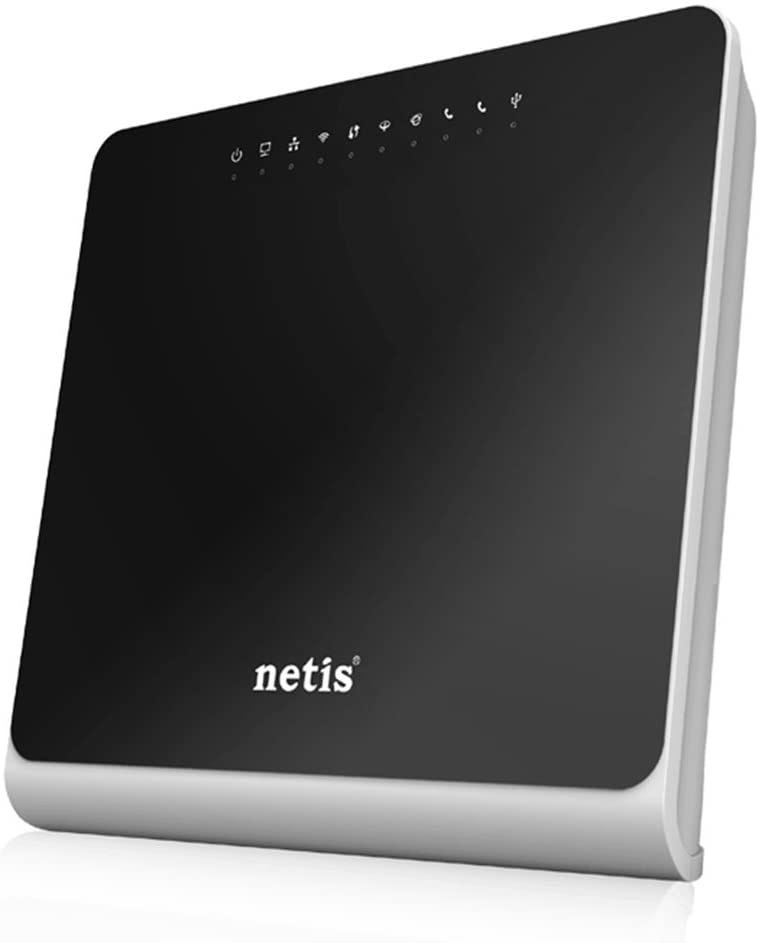
After a while, the NETIS DL4480V router provided by TM upon subscribed to TM Streamyx (or TM Unifi lite) will fail to work properly. Your internet connection may be up and down or worst the router itself will frequently disconnected or restart.

Before that happen, in case you need to reset your router, Please DO NOT go to https://easyfix.unifi.com.my/ or https://easyfix.unifi.com.my/reconfigure_wifi_netis

It is useless (worth to try but it won’t be helpful enough).

You can even call their call-center line at 100 and the best guidance you can get is just to confirm your username and password again and resetting your port. It may work or may not work at all. If it works, you still need to tweak on your own (or worst, wait for their technician to drop by, which may take 1, 2, 3 days or even week after you file your report unless you keep bugging them via SOCMED or phone call if you are in dire need of internet connectivity).

Why I stated that you need to tweak on your own. This is because the technician will only install and use the basic setting to set up your router. They won’t do extra miles to ensure that your internet connection is superb. There are a few things you can do to improve your internet connection. Before that, let us do simple tweaking and have a stable connection first.

There are few links here that might help you in tweaking it (IF it still able to connect to TM Switches PERMANENTLY, but failed to connect to any website).

1. https://www.youtube.com/watch?v=CX0PXujZbAs
2. https://www.youtube.com/watch?v=Awf4RK5z-V4&app=desktop
3. http://hotspotsystem.com.my/index.php?route=pavblog/blog&blog_id=209
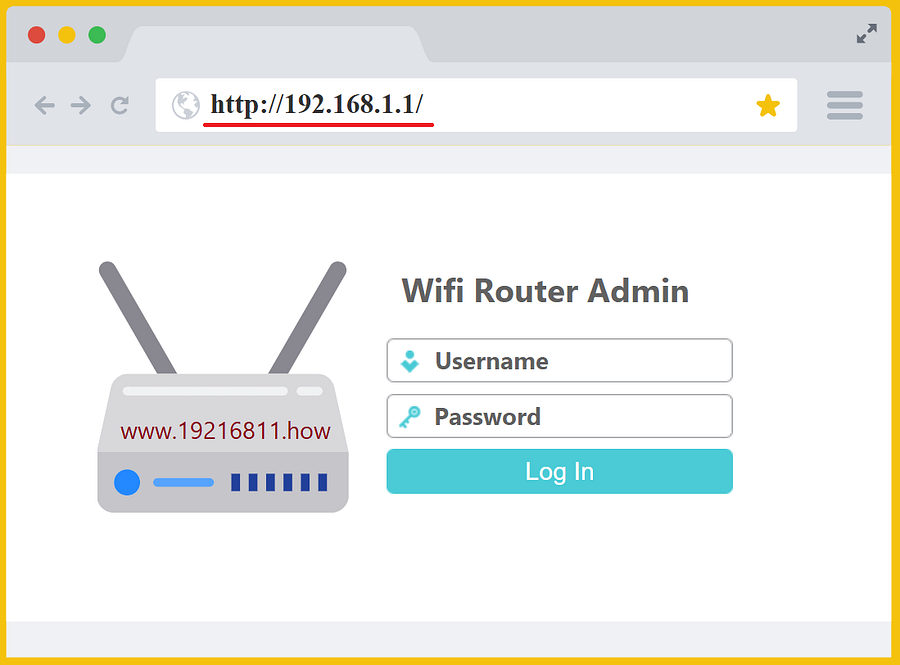
Well, that shall do it. If the problem persists, just get them to send the technician ASAP and request to change the router. This might be the core problem of failure like mines. That’s it… or you can buy your own router and make sure it is VDSL2 (for unifi/fiber) ya.

The final step is to tweak a little bit more to have a better connection. You may not be needed if you think yours is working fine.

1. Disable some of the security features. Please, do this IF you are using it for your OWN purpose and not to setup for openly accessible wifi. You may disable firewall, IDS, IPS setting or tweak it to your own need. To do this, you need to login to your router page at 192.168.1.1 and go to security section (normally at Advance tab)
2. Change the DNS (from automatic to manual) and follow the following few links

Adios

TM Unifi NETIS DL4480V Connectivity Problem

Share:

Saturday, October 5, 2013

Glorious Future of BlackBerry Z10

The BlackBerry Z10 is supposed to be the start of a new era for BlackBerry. If that is to happen, consumers will need to be convinced of its innovation and potential. Therefore, they will need to know two things: how does it differ from previous BlackBerry models? And, why should they be interested? BlackBerry will be hoping that the answer to the first question will also answer the second.

Z10 versus early Blackberry

In terms of differences to previous BlackBerry models the Z10 has many. The most notable of these is the absence of the quintessential qwerty keyboard with the 4.2 inch, high resolution touch screen of the Z10 leaving no room for it. This may please those who prefer a touch screen keyboard but may also put off the hardcore faithful who enjoyed the old keyboards. However, for both parties, BlackBerry has designed a spacious and easy to use touch screen keyboard with a predictive text feature which means the predicted word appears over the next letter, meaning the user only needs to swipe it upwards to enter.

Price does matters

Alongside previous model differences, you also need to consider how it fares against the main rivals. Often cheaper than competitors, the BlackBerry Z10 price comes in at RM 1,799.00 for the handset.

Superb Features of Z10

Another new feature on the Z10 is the BlackBerry Hub, which houses all messages, e-mails and notifications. It has been designed with the object of allowing an experience which is flowing and easy for the user. The user may be in the middle of something on an app when their phone beeps but there is no need to close that app and search through texts, social media and e-mail to discover the source of the notification. All they need do is swipe upwards and right with their thumb and peek into the hub, this will allow them to see their texts, e-mails and anything else they have told the Hub to store. From there they can choose whether to reply immediately or later allowing them to not be completely disturbed by every single notification.

In pursuit of further flow there is no need to close apps if the user chooses to reply to the message. The user just has to simply swipe the app down where it will stay exactly as they left it ready to be picked up later when the user is ready. It is important to note that with the Z10s ability to run eight apps simultaneously, there is no need to worry about lag when doing this.

Not everything is totally new on the Z10, some of it has just been updated and modernised such as the new BlackBerry Messenger (BBM). This has always been popular with BlackBerry users as it allows you to exchange messages and pictures instantly with your contact list for free. BBM has been expanded, with the Z10s front facing camera in mind, to allow video calls to any contact anywhere in the world thus making it perfect for catching up with friends and conducting international business alike.

A second new feature to BBM is Screen Share. At the press of a button during a video call Screen Share allows users to literally share their screen with the contact they are calling. This again has great potential for social and business use alike by allowing people to show their friend a funny Youtube clip or to show their colleague an important document with the valuable ability to talk it over at the same time.


Z10 - Simply the best

Older BlackBerry models put many consumers off with the lack of apps that could be downloaded onto them, but with the Z10 BlackBerry launched its new BlackBerry 10 World which contains 70,000 apps including big names, such as Skype, that were missing before. This is a valuable asset in a world where apps are king and BlackBerry World looks only set to grow. However, whether the BlackBerry Z10s future is glorious remains in the hands, or the wallets, of the consumers.


Writer: Lenny Marlina (Nina Lia) - (http://mightytechnews.wordpress.com/)
Share:

About Me

Somewhere, Selangor, Malaysia
An IT by profession, a beginner in photography

Labels

Blog Archive

Blogger templates