My experience on my daily works... helping others ease each other

Showing posts with label Network. Show all posts

Monday, May 25, 2020

Solving Internet Router Problem - TM Unifi NETIS DL4480V

TM Unifi NETIS DL4480V Connectivity Problem
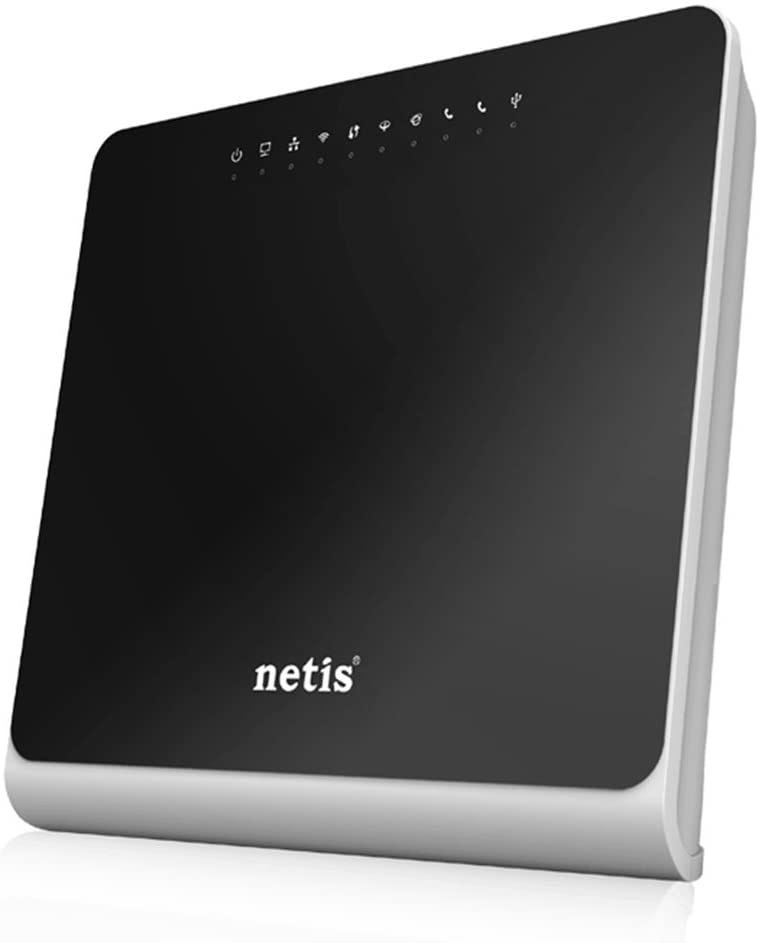
After a while, the NETIS DL4480V router provided by TM upon subscribed to TM Streamyx (or TM Unifi lite) will fail to work properly. Your internet connection may be up and down or worst the router itself will frequently disconnected or restart.

Before that happen, in case you need to reset your router, Please DO NOT go to https://easyfix.unifi.com.my/ or https://easyfix.unifi.com.my/reconfigure_wifi_netis

It is useless (worth to try but it won’t be helpful enough).

You can even call their call-center line at 100 and the best guidance you can get is just to confirm your username and password again and resetting your port. It may work or may not work at all. If it works, you still need to tweak on your own (or worst, wait for their technician to drop by, which may take 1, 2, 3 days or even week after you file your report unless you keep bugging them via SOCMED or phone call if you are in dire need of internet connectivity).

Why I stated that you need to tweak on your own. This is because the technician will only install and use the basic setting to set up your router. They won’t do extra miles to ensure that your internet connection is superb. There are a few things you can do to improve your internet connection. Before that, let us do simple tweaking and have a stable connection first.

There are few links here that might help you in tweaking it (IF it still able to connect to TM Switches PERMANENTLY, but failed to connect to any website).

1. https://www.youtube.com/watch?v=CX0PXujZbAs
2. https://www.youtube.com/watch?v=Awf4RK5z-V4&app=desktop
3. http://hotspotsystem.com.my/index.php?route=pavblog/blog&blog_id=209
Well, that shall do it. If the problem persists, just get them to send the technician ASAP and request to change the router. This might be the core problem of failure like mines. That’s it… or you can buy your own router and make sure it is VDSL2 (for unifi/fiber) ya.

The final step is to tweak a little bit more to have a better connection. You may not be needed if you think yours is working fine.

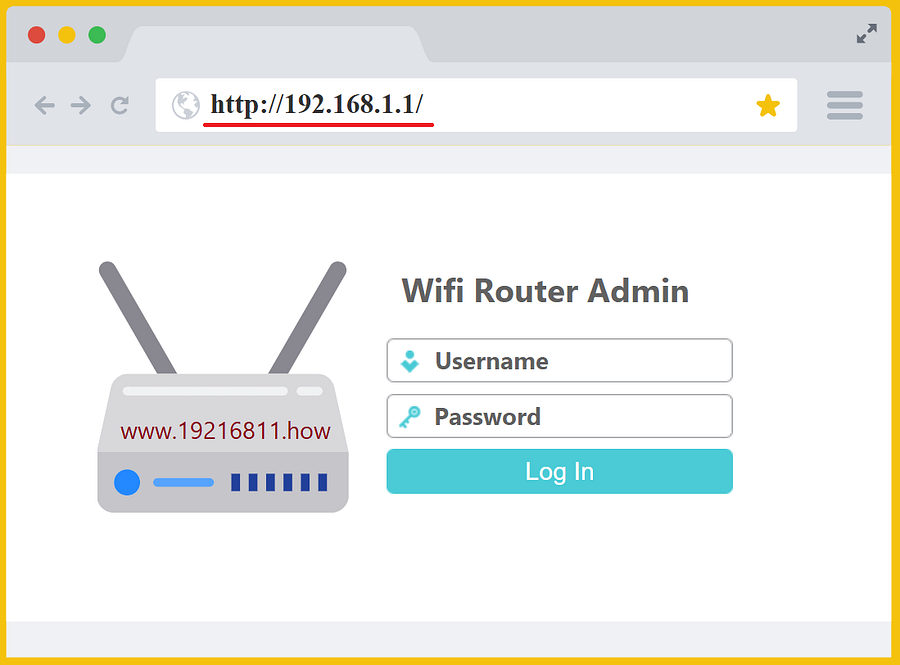
1. Disable some of the security features. Please, do this IF you are using it for your OWN purpose and not to setup for openly accessible wifi. You may disable firewall, IDS, IPS setting or tweak it to your own need. To do this, you need to login to your router page at 192.168.1.1 and go to security section (normally at Advance tab)
2. Change the DNS (from automatic to manual) and follow the following few links

Adios

TM Unifi NETIS DL4480V Connectivity Problem

Share:

Thursday, December 4, 2014

Network Topology - Leaf-Spine architecture

Leaf-spine is a network topology in which a series of switches form the access layer.
Leaf-spine is an alternate to the three-layer core/aggregation/access network architecture. The leaf switches mesh into the spine, which is a series of several high-throughput layer 3 switches with high port density. Spine switches are essentially the core of the architecture, whereas leaf switches are the access layer that delivers network connection points for servers. Leaf switches also provide uplinks to spine switches.
Every leaf switch connects to every switch in the network fabric; no matter which leaf switch a server is connected to, it has to cross the same number of devices every time it connects to another server. The only exception is when the other server is on the same leaf. Latency is therefore minimized to an acceptable level because each payload only has to travel to a spine switch and another leaf switch to reach its endpoint.
A leaf-spine topology can be layer 2 or layer 3 -- the links between the leaf and spine layer can be switched or routed. In a layer 2 leaf-spine design, Transparent Interconnection of Lots of Links or shortest path bridging takes the place of spanning-tree. All hosts are linked to the fabric and offer a loop-free route to their Ethernet MAC address through a shortest-path-first computation. In a layer 3 design, each link is routed, and it is most efficient when virtual local area networks are sequestered to individual leaf switches or when a network overlay, like VXLAN, is working.

Diagram: Leaf-spine topology


Taken from: TechTarget
Share:

Sunday, February 10, 2013

Breaking HTTPS and Decrypt Encrypted Disk

More vulnerabilities in computer systems discovered lately including security mechanism. HTTPS which currently used by many sectors for a secure web application is no longer secure. With current news, HTTPS can be cracked using knowledge on TLS structure.

Using MiM @ Man-in-the-middle attack, Prof. Kenny Paterson and his PhD student from Information Security Group of Royal Holloway claimed that they had successfully attack HTTPS (refer here). They shows that although there are few steps, assumption, and measurement requires, but there is possibility of attacking and thus making HTTPS vulnerable; or the applications run through it.


Adding to the news of 'insure HTTPS' , tools that releases to help catching the bad guys can also be a good tool for them. Forensic Disk Decryptor Tool by Elcomsoft which used by forensic team in information security to decrypt disc encrypted by TrueCrypt, BitLocker, and PGP may also help attackers to decrypt disk or documents encrypted by the earlier mention tools. Hence, once release for good is now used for evil.


This, in the end, came back to individual characteristics. A good people will use for good and vice versa.... It depends on how and what is the purpose and whom the user is....
Share:

Sunday, January 15, 2012

Securing Your Home Wi-Fi Network


Wi-Fi networks (sometimes called by their technical name 802.11) allow people to wirelessly connect devices to the Internet, such as smartphones, gaming consoles, tablets, and laptops.  Because Wi-Fi networks are simple to setup, many people install their own Wi-Fi networks at home.  

However, many home Wi-Fi networks are configured insecurely, allowing strangers or unauthorized people to
easily access your home network or anonymously abuse your Internet connection. To ensure you have a safe and secure home Wi-Fi network, here are a few simple steps you should take.

Read the article by SANS Institute @ http://www.securingthehuman.org/newsletters/ouch/issues/OUCH-201201_en.pdf
Share:

About Me

Somewhere, Selangor, Malaysia
An IT by profession, a beginner in photography

Labels

Blog Archive

Blogger templates